
Zúčastnite sa nášho nadchádzajúceho webinára s názvom „Môžete sa spoľahnúť na namerané údaje?“ 27. októbra 2026 o 10:00 SEČ. Zaregistrujte sa tu
Všetky produkty Solargis sú navrhnuté tak, aby spolupracovali alebo, ak sa používajú samostatne, podporovali určitú fázu životného cyklu fotovoltaického projektu. Solargis Prospect a Solargis Evaluate sú nevyhnutné vo fázach pred realizáciou a realizovateľnosti, ale slúžia na rôzne účely.
Mnohí naši zákazníci sa pýtajú, ako sa tieto dva produkty líšia, ako zapadajú do procesu vývoja projektu a či - alebo kedy - prejsť z Prospect na Evaluate.
V tomto článku vás oboznámime s úlohou jednotlivých riešení a ponúkneme praktické rady, ktoré vám pomôžu pri správnom rozhodovaní o produkte.
Solargis Prospect je určený pre úplný začiatok projektového procesu - keď máte veľa potenciálnych lokalít a obmedzené množstvo času.
Typické otázky v tejto fáze sú:
Prospect je vytvorený presne na tento účel. Pracuje s dlhodobými priemernými solárnymi a meteorologickými údajmi, vďaka čomu získate stabilný obraz o typických podmienkach na každej kandidátskej lokalite.
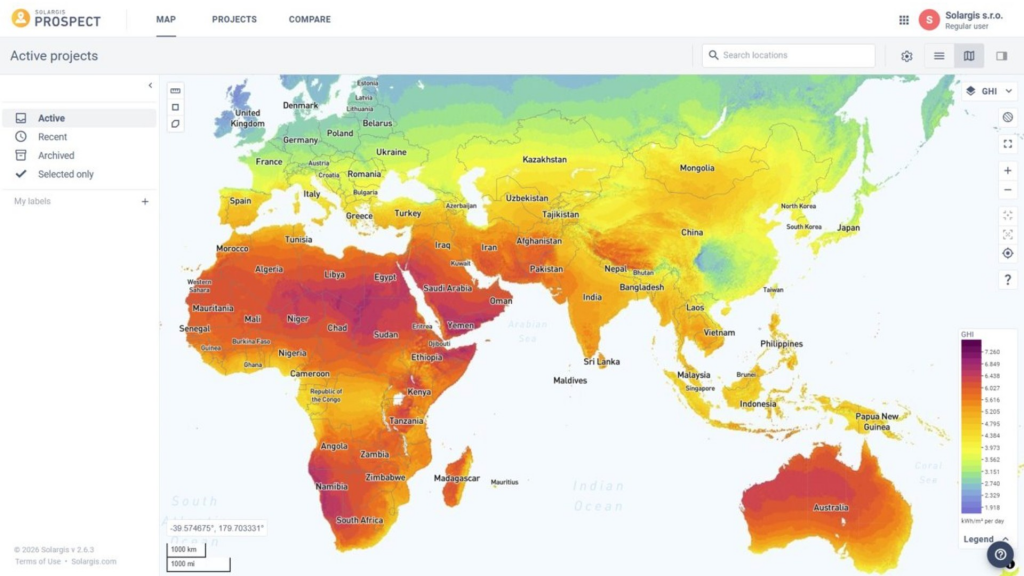
Môžete preskúmať viac ako 30 vrstiev mapy ( solárne zdroje, teplota, vietor, variabilita a ďalšie) a rýchlo porovnať lokality.
Pre každú lokalitu získate mesačné dlhodobé priemery a hodinové profily, ktoré sú ideálne na rýchle odhady PVOUT a porovnania na vysokej úrovni. Jednoduchá konfigurácia PV (sklon, azimut, typ sledovania, pomer DC/AC) vám umožňuje vykonávať rýchle, približné simulácie bez toho, aby ste museli zachádzať do úplných technických detailov.
Inými slovami, Prospect vám pomôže odpovedať:
"Kde sú najlepšie príležitosti a ktoré lokality si zaslúžia podrobnejšiu prácu?"
Hneď ako lokalita vyzerá sľubne a prejdete na realizovateľnosť, otázky sa zmenia:
Keď už dlhodobé priemery a jednoduché rozloženia nestačia, nastupuje Evaluate.
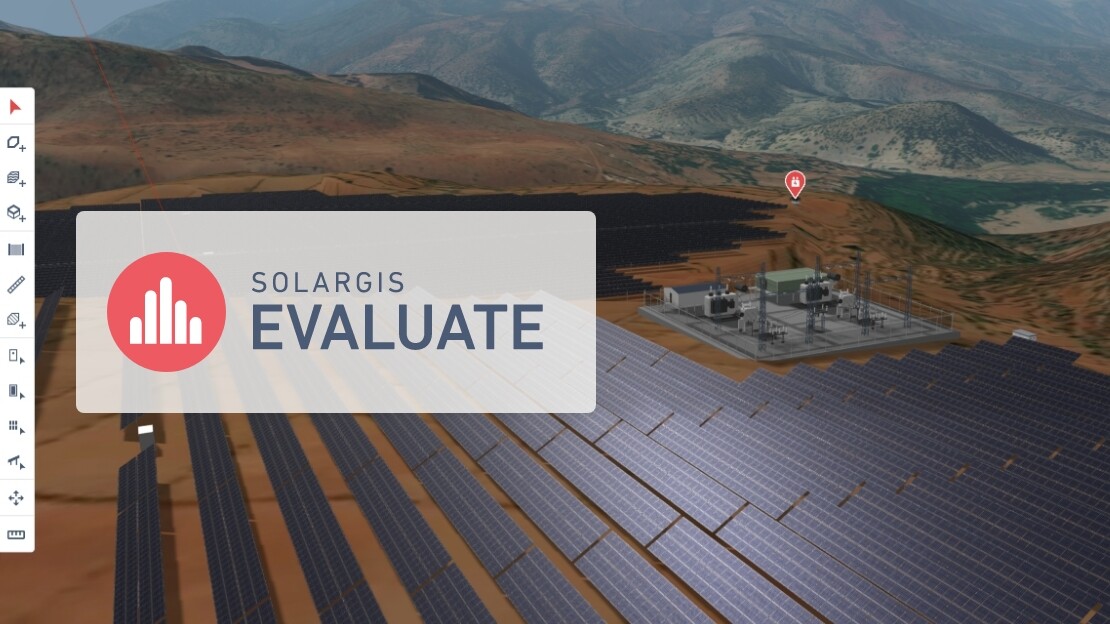
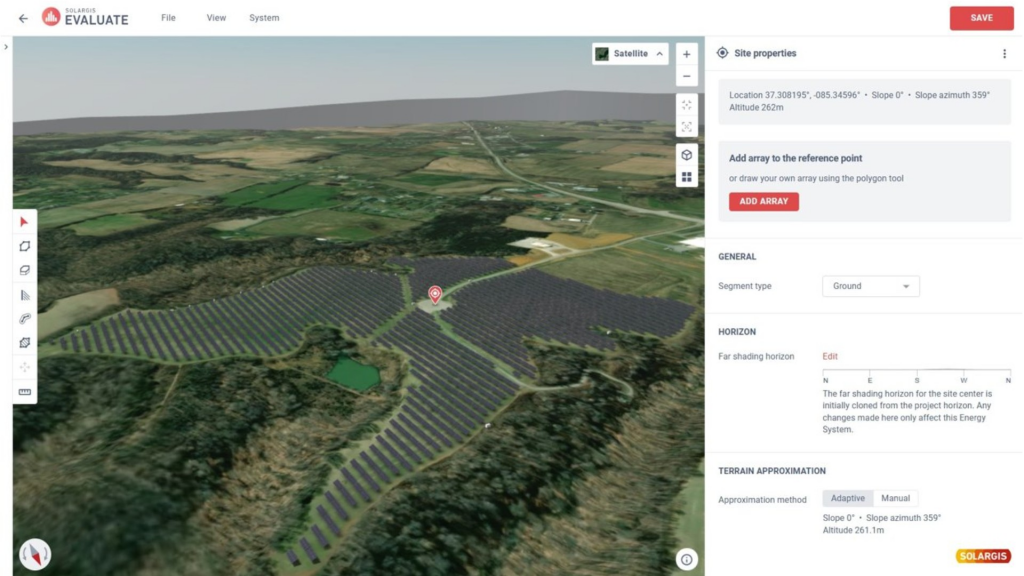
Solargis Evaluate je cloudové riešenie, ktoré v jednom prostredí spája údaje, 3D fotovoltický návrh, simuláciu energetického výnosu a reportovanie.
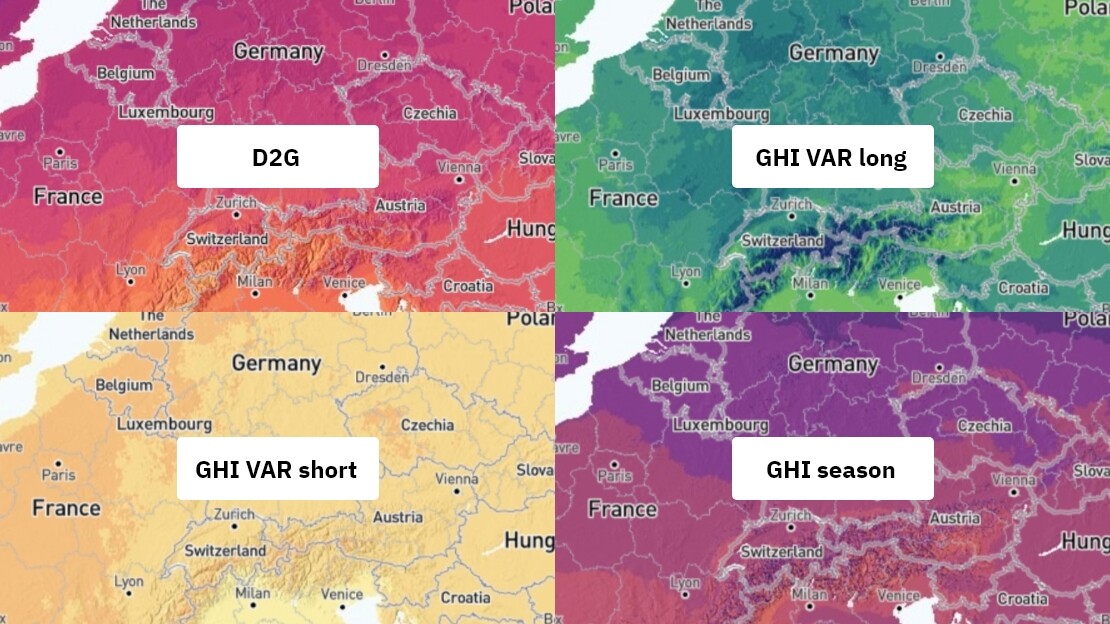
Tam, kde Prospect pracuje s dlhodobými priemermi, Evaluate pracuje s:
Okrem údajov pridáva Evaluate:
3D návrhár energetického systému
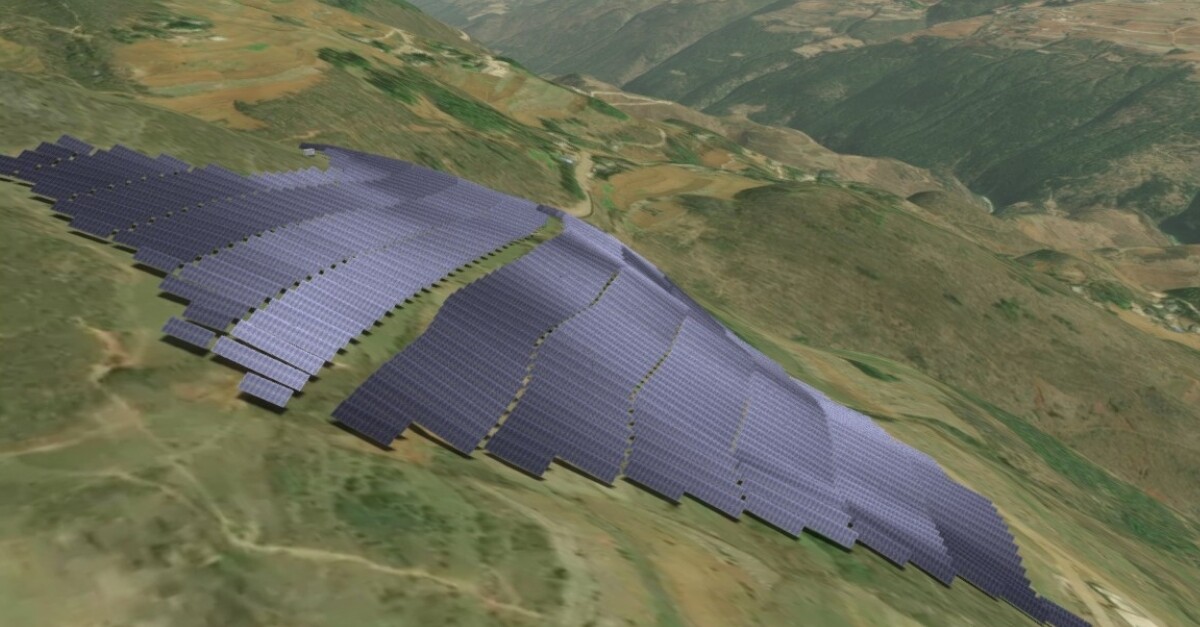
Navrhujte realistické systémy s pevným sklonom a jednoosé sledovacie systémy vrátane rozloženia podľa terénu, odstupov, pomeru DC/AC, elektrickej hierarchie a ďalších - s viac ako 150 konfigurovateľnými parametrami.
Pokročilá simulácia fotovoltaiky
Motor založený na sledovaní lúčov pomocou modelu oblohy za každého počasia (Perez), ktorý podporuje komplexný terén, tienenie, bifaciálne, podrobné rozdelenie strát a 1-minútové simulácie, ak je to potrebné.
Modelovanie strát nad rámec základov
Natívne modely pre sneh a znečistenie, ktoré využívajú meteorologické údaje a údaje o prostredí namiesto statických predpokladov strát.
Neistota a vykazovanie, ktoré je možné financovať
Môžete si priamo vyžiadať hodnoty neistoty GHI/DNI a Pxx a vytvárať správy na úrovni poradenstva (napr. "Úplné hodnotenie projektu fotovoltickej energie") vhodné pre investorov a veriteľov.
Moderná spolupráca a obchodný model
Cloudový prístup, neobmedzený počet spolupracovníkov na projekte, neobmedzený počet simulácií TMY P50 a návrhov systémov na jeden aktívny projekt - to všetko je zahrnuté v predplatnom, bez poplatkov za simuláciu.
Inými slovami, Evaluate vám pomôže odpovedať:
"Ako bude táto fotovoltaická elektráreň skutočne vyzerať? Ako bude fungovať v priebehu času? A je tento výkon financovateľný?"
Užitočným spôsobom, ako uvažovať o týchto dvoch nástrojoch, je "šírka verzus hĺbka"
Prospect = šírka
Hodnotenie = hĺbka
Oba produkty sú napájané rovnakými solárnymi a meteorologickými údajmi Solargis, takže pri prechode z Prospect na Evaluate jednoducho prechádzate z menej komplexného zobrazenia týchto údajov na zobrazenie vo vysokom rozlíšení na úrovni projektu.
Táto kontinuita je mimoriadne dôležitá pre interné riadenie a dôveru investorov: váš príbeh od "prvej mapy" po "finálnu P90" je konzistentný.
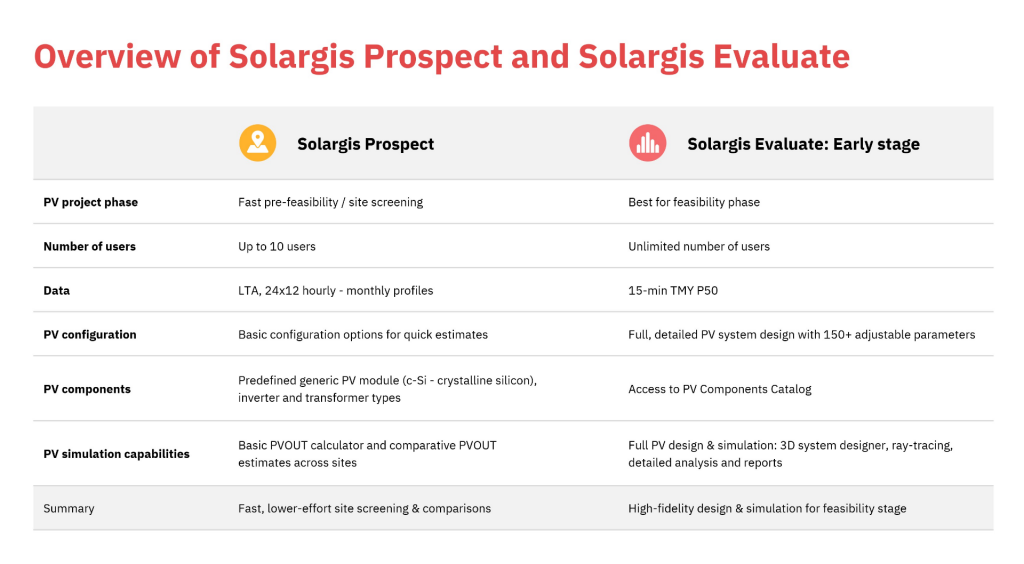
Pre každý bod, ktorý umiestnite na mapu v programe Prospect, nepotrebujete Evaluate. Existujú však jasné spúšťače, ktoré signalizujú, že je čas urobiť ďalší krok:
Vybrali ste lokalitu do užšieho výberu
V aplikácii Prospect ste porovnali viacero kandidátov a vybrali ste jednu alebo niekoľko lokalít, ktoré stoja za serióznu prácu, a to buď pre výberové konanie, opciu na pozemok, alebo pre skoré diskusie o sieti.
Potrebujete realistické usporiadanie, nielen všeobecnú konfiguráciu
Terén nie je rovinatý, hranice pozemku sú nepravidelné alebo musíte otestovať rôzne rozstupy radov, konfigurácie sledovacích zariadení, pomery DC/AC alebo možnosti bifaciálnych systémov.
Pripravujete sa na rokovania s veriteľmi alebo investormi
Teraz potrebujete správu vhodnú pre banky, neistotu a transparentné rozdelenie strát, nielen priemerný GHI a jedno číslo PVOUT.
Viacero tímov musí pracovať z rovnakého "jediného zdroja pravdy"
Vývojári, inžinieri, finančníci a pracovníci s rozhodovacími právomocami potrebujú prístup k rovnakým údajom, predpokladom a výsledkom simulácie namiesto toho, aby si odovzdávali súbory.
V tomto bode vám presunutie lokality do aplikácie Evaluate poskytne pracovný priestor projektu so všetkými solárnymi, meteorologickými a environmentálnymi údajmi, ktoré sú už pre danú lokalitu k dispozícii, možnosť začať so simuláciami TMY P50 v počiatočnej fáze, potom prejsť na úplnú analýzu časových radov, keď projekt dozrie, a neobmedzený počet návrhov a simulácií TMY P50 na jeden aktívny projekt, takže môžete testovať toľko variantov usporiadania a technológií, koľko potrebujete, bez obáv o "simulačné kredity".
Pre mnohých používateľov vyzerá praktický tok takto:
Prečítajte si tiež: Jeden rok novej aplikácie Solargis Evaluate: Viac funkcií, viac údajov, menej obmedzení
Ak už máte skúsenosti s programom Prospect, Evaluate nie je náhradou; je to logický ďalší krok v tom istom ekosystéme:
Inými slovami: Prospect udržuje váš zásobník plný dobrých príležitostí. Evaluate vám pomôže premeniť tieto príležitosti na dobre navrhnuté, financovateľné fotovoltické projekty.
Ak ešte stále vykonávate prvotný skríning lokalít v programe Prospect a potom exportujete údaje do kombinácie samostatných návrhových nástrojov a tabuliek, je veľká šanca, že pridávate zbytočnú zložitosť a riziko. Spojenie údajov, návrhu a simulácie v programe Evaluate je jedným z najjednoduchších spôsobov, ako urobiť váš pracovný postup dôslednejším a efektívnejším.
Kontaktujte nás a zistite, aké výhody vám prinesie prechod na Evaluate.