Join our upcoming webinar "Can you rely on measured data?" on October 27, 2026 at 10:00 AM CET. Register here
All Solargis products are designed to work together or, when used on their own, to support a specific stage of the PV project lifecycle. Solargis Prospect and Solargis Evaluate are essential in the pre-feasibility and feasibility phases, but they serve different purposes.
Many of our customers ask how the two products differ, how they fit into the project development process, and whether – or when – to transition from Prospect to Evaluate.
In this article, we'll walk you through the role of each solution and offer hands-on advice to help you make the right product decision.
Solargis Prospect is designed for the very beginning of the project pipeline - when you have many potential locations and a limited amount of time.
Typical questions at this stage are:
Prospect is built exactly for that. It works with long-term averages solar and meteorological data, giving you a stable picture of typical conditions at each candidate site.
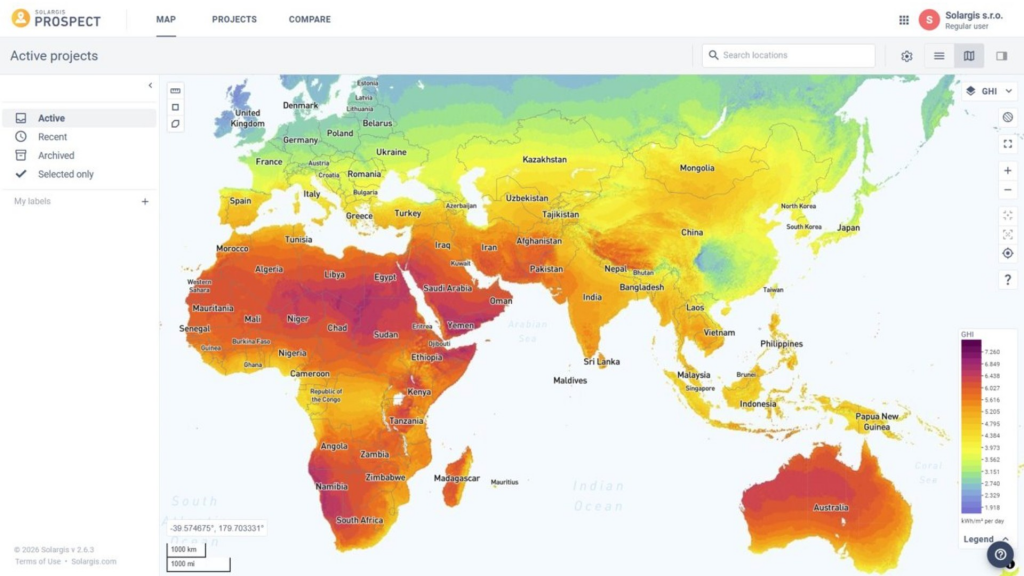
You can explore more than 30 map layers (solar resource, temperature, wind, variability, and more) to benchmark locations quickly.
For each site, you get monthly long-term averages and hourly profiles, which are ideal for quick PVOUT estimates and high-level comparisons. Simple PV configuration (tilt, azimuth, tracking type, DC/AC ratio) lets you run fast, approximate simulations without going into full engineering detail.
In other words, Prospect helps you answer:
“Where are the best opportunities, and which sites deserve more detailed work?”
As soon as a site looks promising and you move into feasibility, the questions change:
When long-term averages and simple layouts are not enough anymore, Evaluate comes in.
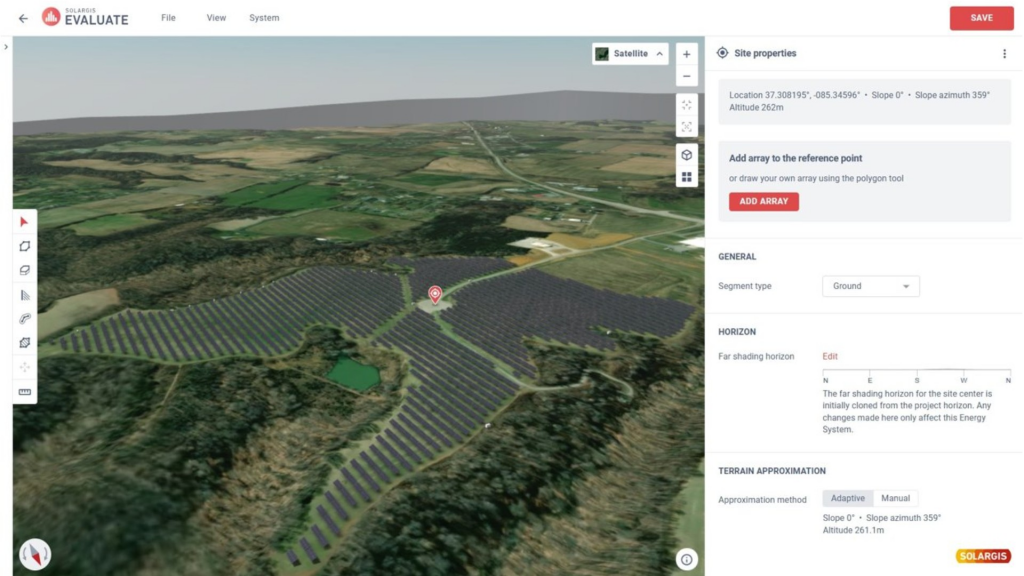
Solargis Evaluate is a cloud-based solution that combines data, 3D PV design, energy yield simulation and reporting in a single environment.
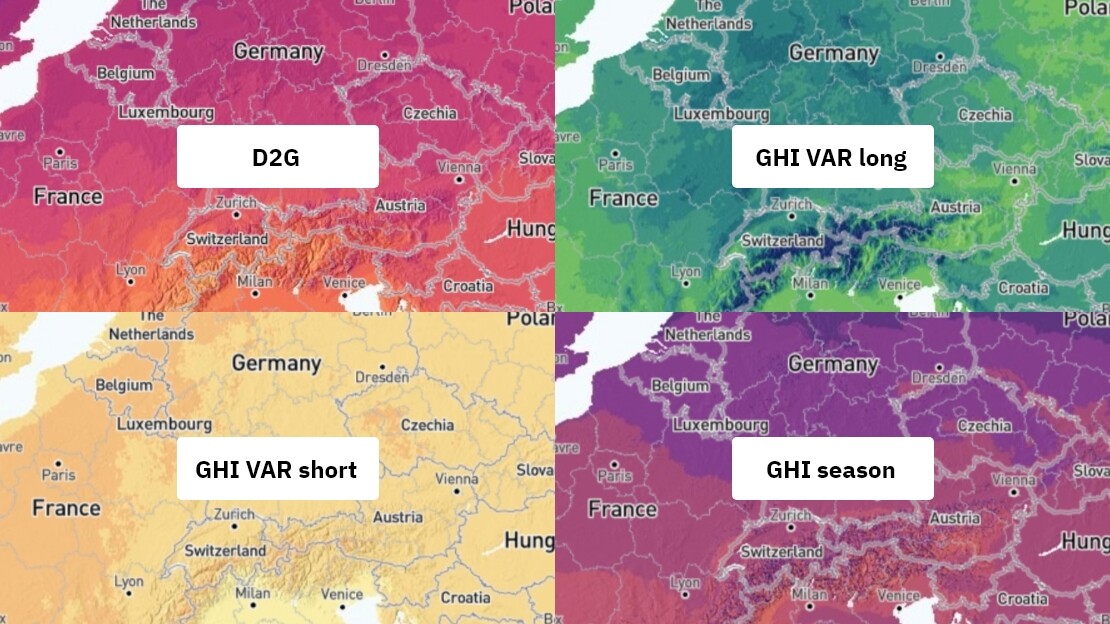
Where Prospect works with long-term averages, Evaluate works with:
On top of the data, Evaluate adds:
3D Energy System Designer
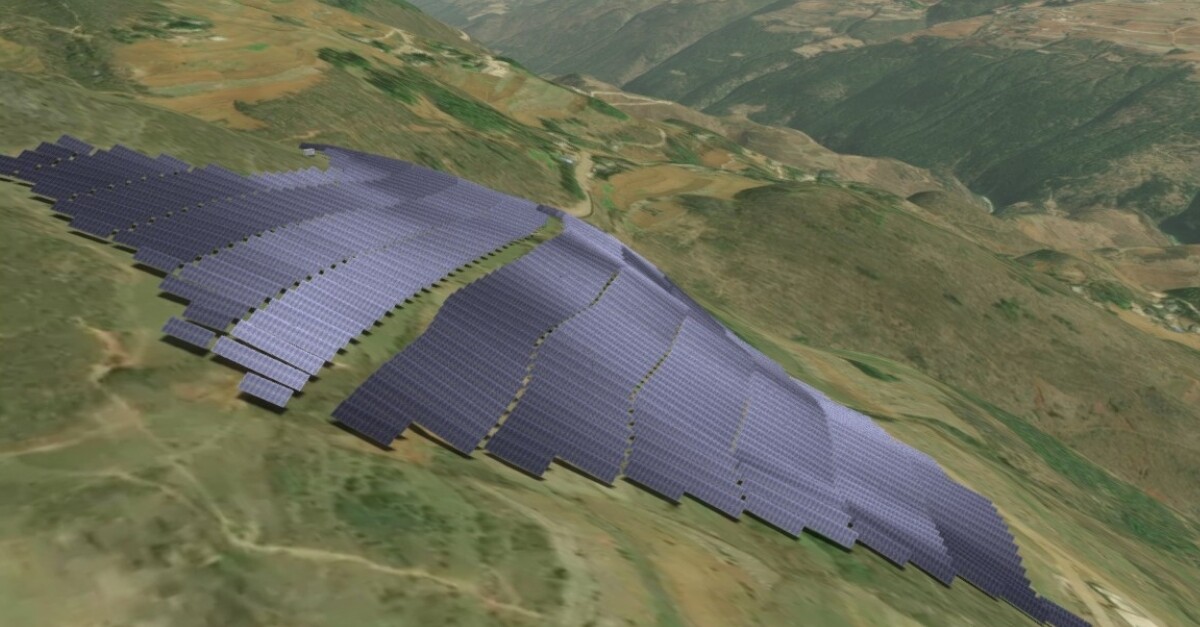
Design realistic fixed-tilt and single-axis tracker systems, including terrain-following layouts, setbacks, DC/AC ratio, electrical hierarchy and more – with 150+ configurable parameters.
Advanced PV simulation
Ray-tracing based engine using an all-weather sky model (Perez), supporting complex terrain, shading, bifacial, detailed loss breakdown and 1-minute simulations where needed.
Loss modelling beyond the basics
Native models for snow and soiling that use meteorological and environmental data instead of static loss assumptions.
Uncertainty and bankable reporting
You can request GHI/DNI uncertainty and Pxx values directly, and generate consultancy-grade reports (e.g. “Full Evaluation of PV Energy Project”) suitable for investors and lenders.
Modern collaboration and business model
Cloud-based access, unlimited collaborators on a project, unlimited TMY P50 simulations and system designs per active project – all included in the subscription, without per-simulation fees.
In other words, Evaluate helps you answer:
“What will this PV plant really look like? How will it perform over time? And is that performance bankable?”
A useful way to think about the two tools is “breadth vs. depth.”
Prospect = breadth
Evaluate = depth
Both products are powered by the same Solargis solar and meteorological data, so when you move from Prospect to Evaluate you’re simply moving from a less complex view of that data to a high-resolution, project-grade view.
That continuity is particularly important for internal governance and investor confidence: your story from “first map” to “final P90” is consistent.
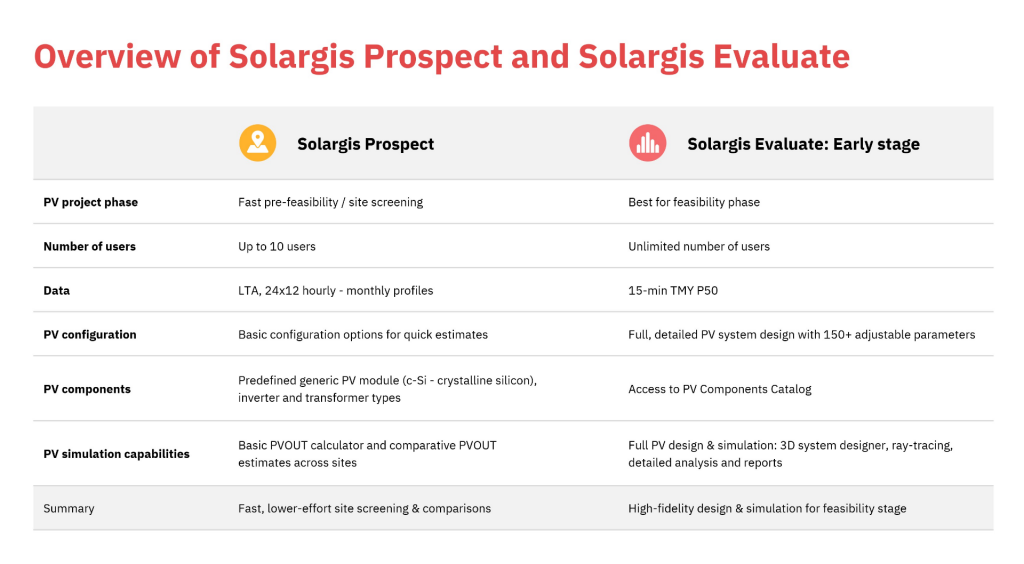
You don’t need Evaluate for every dot you place on the map in Prospect. But there are clear triggers that signal it’s time to take the next step:
You’ve shortlisted a site
You’ve compared multiple candidates in Prospect and selected one or a few locations worth serious work, either for a tender, land option, or early grid discussions.
You need a realistic layout, not just a generic configuration
Terrain is non-flat, land boundaries are irregular, or you must test different row spacing, tracker configurations, DC/AC ratios or bifacial options.
You’re preparing to talk to lenders or investors
You now need a bankable report, uncertainty, and transparent loss breakdowns, not just average GHI and a single PVOUT number.
Multiple teams must work from the same “single source of truth”
Development, engineering, finance and decision makers all need access to the same data, assumptions and simulation results, instead of passing files around.
At that point, moving the site into Evaluate gives you a project workspace with all solar, meteo and environmental data already available for that location, ability to start with TMY P50 simulations in Early Stage, then upgrade to full time-series analysis when the project matures, and unlimited designs and TMY P50 simulations per active project, so you can test as many layout and technology variants as you need without worrying about “simulation credits”.
For many users, the practical flow looks like this:
Read also: One year of the new Solargis Evaluate: More features, more data, fewer limitations
If you’re already comfortable with Prospect, Evaluate is not a replacement; it’s the logical next step in the same ecosystem:
In other words: Prospect keeps your pipeline full of good opportunities. Evaluate helps you turn those opportunities into well-designed, bankable PV projects.
If you’re still doing early site screening in Prospect and then exporting data into a mix of standalone design tools and spreadsheets, there’s a good chance you’re adding unnecessary complexity and risk. Bringing data, design and simulation together in Evaluate is one of the simplest ways to make your workflow both more rigorous and more efficient.
Contact us to find out how you can benefit from switching to Evaluate.